

Aurexona · Holiday projection night light with interchangeable theme discs
Aurexona · Holiday projection night light with interchangeable theme discs
A little light. A festive night.
Add a seasonal light pattern to a wall or ceiling, then change the mood with a different theme disc. A compact tabletop design for evenings at home.
Choose your bundle
Each projector comes with 11 theme discs and a USB power cable. Choose the number of projectors above.
Couldn't load pickup availability
Setup and care
Use indoors on a stable, level surface. Keep away from moisture and do not look directly into the light. Switch off and unplug before changing discs; follow the supplied instructions and use a compatible power source.



Set the mood for a festive evening
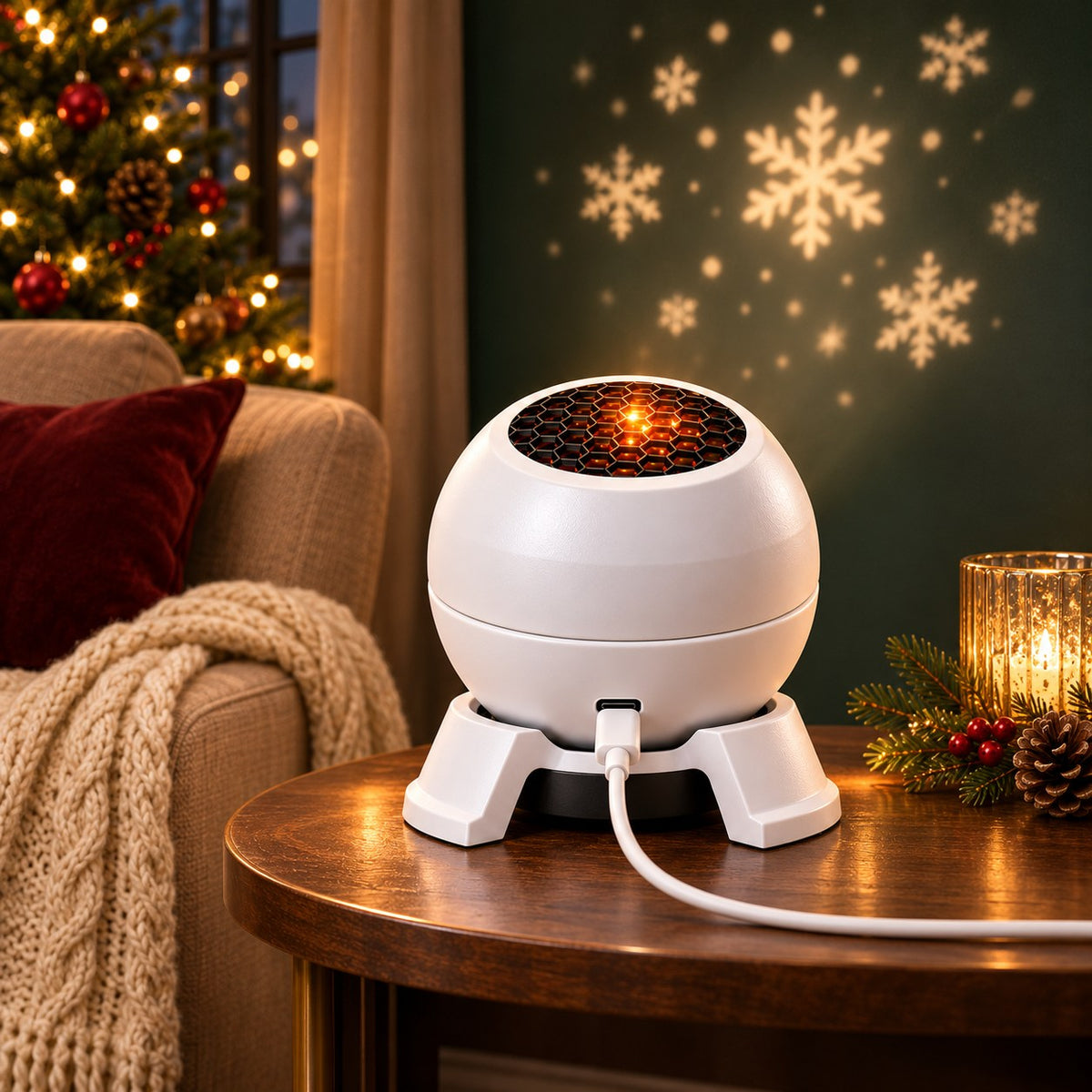
Add a little seasonal atmosphere to a living room, bedroom or gathering. Use a suitable pale wall or ceiling and dim the room so the projected pattern is easier to see.

Look closely at the projector
The white spherical body sits in a tabletop support, with a honeycomb-style opening above and a USB-C connection at the front.

Change the disc, change the scene
Switch off and unplug. Lift the cover, remove the current disc by its edge, insert another disc into the holder and close the cover securely before reconnecting power. Follow the instructions supplied with the unit.

Different moods from one small device
Interchangeable discs let you switch the visual theme. Each projector includes 11 discs; the illustrated room scenes show atmosphere ideas, not a guarantee that every depicted pattern is in the supplied assortment.

A compact design for a side table
Place the base on a steady, flat surface with a clear route to the wall or ceiling. Adjust the direction as permitted by the supplied instructions. Keep the projection opening unobstructed.

USB-C power for everyday setup
Connect the USB cable to the projector and a suitable compatible power source.

A closer look at the disc holder
Handle the thin circular disc by its edge. Seat it correctly and replace the cover before switching on; there is no need to leave the housing open during operation.

For shared holiday moments
Use it as an extra decorative touch for a movie night, a quiet evening or a holiday gathering. Choose 1, 2, 3 or 4 projectors for separate rooms or gifts.

Get the most from your room
Ambient light, distance, wall color and the chosen disc affect how a projection looks. Try a dim room and a plain surface; this is a decorative light projector, not a free-floating hologram device.
Product details
- Model
- White tabletop projection light
- Power
- USB-C connection · plug-in use
- Theme discs
- 11 per projector
- Bundles
- 1 / 2 / 3 / 4 projectors
- Use
- Indoors, on a stable and level surface
Holiday atmosphere ideas
Digital scene illustrations, not customer footage or measured product performance. They do not demonstrate free-floating holograms or guarantee brightness, coverage or specific included patterns.


Before you choose
How many theme discs are included?
Each projector is supplied with 11 theme discs. Choose the number of projectors in the bundle selector.
How do I change a disc?
Switch off and unplug, open the cover, replace the disc, close the cover and reconnect power. Follow the supplied instructions.
Does it need charging or batteries?
This listing is for the USB-powered plug-in version. Use a compatible power source; battery operation and charging are not stated features.
Will it look exactly like the scene images?
No fixed brightness, projection size or room-wide effect is promised. Scene images and animations are illustrations; the real result depends on the room, distance and inserted disc.
Can I use it outside?
This listing is for indoor use. Keep it dry, place it securely and do not look directly into the light.
Scene images illustrate decorative use. Exact patterns and visible intensity depend on the supplied disc, distance, surface and ambient light.